Improve FPS in Games - 5 Tricks for Smoother Indie Gaming
Boost Your Frame Rate: A Guide to Smoother Gaming Red Dead Redemption II: Ultimate EditionRockstar GamesPlayStation 4, PC (Microsoft Windows), Xbox One · AdventureOct 26, 2018Red Dead Redemption 2 ...
Indie game enthusiast and pixel art admirer. I play everything so you don't have to — but you'll want to after reading my picks.

Boost Your Frame Rate: A Guide to Smoother Gaming

Red Dead Redemption II: Ultimate Edition
Rockstar Games
Oct 26, 2018
Red Dead Redemption 2 also includes the shared living world of Red Dead Online – forge your own path as you battle lawmen, outlaw gangs and ferocio…
Are you tired of choppy gameplay and low frame rates ruining your gaming experience? Look no further! In this article, we'll explore the common causes of low frame rates and provide practical tips on how to boost your frame rate for a smoother gaming experience.
Understanding Frame Rate
Before we dive into the solutions, let's quickly understand what frame rate is and why it matters. Frame rate, measured in frames per second (FPS), refers to the number of images displayed on your screen per second. A higher frame rate results in a smoother, more responsive gaming experience.

Common Causes of Low Frame Rate
Several factors can contribute to a low frame rate, including:
- Insufficient Hardware: If your computer or gaming console doesn't meet the minimum system requirements for a game, you may experience a low frame rate.
- Graphics Settings: High graphics settings can put a strain on your hardware, leading to a lower frame rate.
- Outdated Drivers: Using outdated graphics drivers can cause performance issues, including a low frame rate.
- Background Processes: Running multiple background processes can consume system resources, impacting frame rate.
Optimizing Your System for Better Performance
Now that we've identified the common causes, let's explore some practical tips to boost your frame rate:
Update Your Graphics Drivers
Outdated graphics drivers can significantly impact performance. Ensure you're running the latest drivers for your graphics card. You can check for updates on the manufacturer's website or use a driver update tool.
Adjust Graphics Settings
Experiment with different graphics settings to find the optimal balance between performance and visual quality. Consider reducing settings like:
- Resolution: Lowering the resolution can help improve frame rate.
- Texture Quality: Reducing texture quality can also improve performance.
- Shadow Quality: Disabling or reducing shadow quality can help boost frame rate.
Close Background Processes
Close any unnecessary background processes to free up system resources. This can include:
- Unnecessary Applications: Close any applications you're not using.
- Background Updates: Ensure that any background updates are completed or paused.
Upgrade Your Hardware
If your hardware is outdated, it may be time to consider an upgrade. Adding more RAM, upgrading your graphics card, or switching to a faster processor can significantly improve performance.
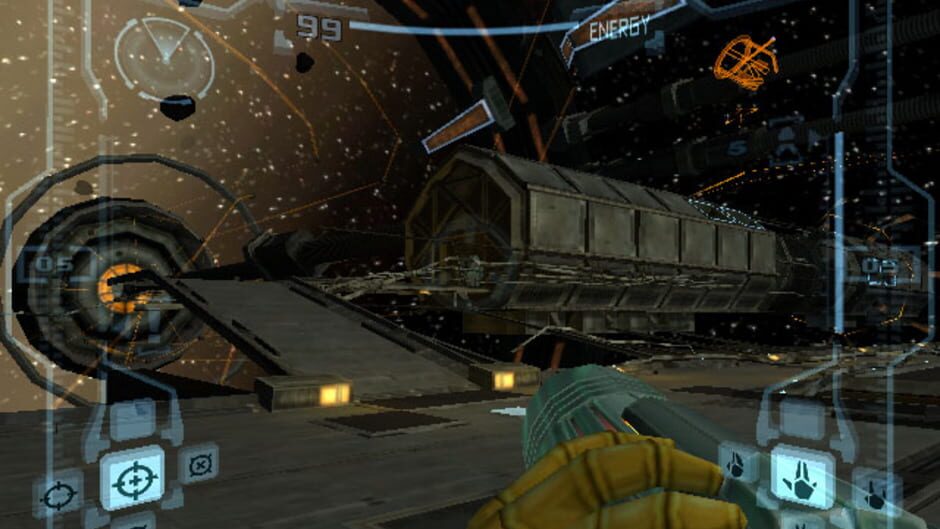
Game-Specific Optimizations
Some games offer specific optimizations that can help improve frame rate. For example:
- Disable VSync: Disabling VSync can help improve frame rate, but may introduce screen tearing.
- Enable G-Sync or FreeSync: These technologies can help improve frame rate and reduce screen tearing.
Conclusion
By understanding the common causes of low frame rates and implementing the tips outlined in this article, you can enjoy a smoother gaming experience. Remember to:
- Update your graphics drivers
- Adjust graphics settings
- Close background processes
- Upgrade your hardware
- Explore game-specific optimizations
With these tips, you'll be well on your way to a better gaming experience.
Game Recommendations
Check out these games that have been optimized for better performance:
- Red Dead 2
- The Last of Us
- Metal Gear Solid 3
Additional Resources
For more information on optimizing your system for better gaming performance, check out these resources:
- NVIDIA's Guide to Optimizing Your System for Gaming
- AMD's Guide to Optimizing Your System for Gaming
By following these tips and resources, you can enjoy a smoother gaming experience and take your gaming to the next level.
Game Reviews
Read our reviews of the following games:
- Super Mario 3D World
- The Witcher 3: Wild Hunt
- Dark Souls 3
Gaming Community
Join our gaming community to connect with other gamers and stay up-to-date on the latest gaming news and trends:
Conclusion
In conclusion, optimizing your system for better gaming performance requires a combination of understanding the common causes of low frame rates and implementing practical tips. By following the advice outlined in this article, you can enjoy a smoother gaming experience and take your gaming to the next level.
Additional Tips
- Regularly update your drivers and software to ensure you have the latest performance enhancements.
- Experiment with different graphics settings to find the optimal balance between performance and visual quality.
- Consider upgrading your hardware to take full advantage of the latest gaming technologies.
By following these tips and staying informed, you can enjoy a better gaming experience and stay ahead of the curve.
References
- [1] NVIDIA. (2022). Optimizing Your System for Gaming. Retrieved from https://www.nvidia.com/en-us/drivers
- [2] AMD. (2022). Optimizing Your System for Gaming. Retrieved from https://www.amd.com/en/support/kb/37261
Images and Videos
- Image: A screenshot of a game with optimized settings
- Video: A tutorial on optimizing your system for gaming

Game-Specific Tips
- Red Dead 2: Disable VSync and enable G-Sync or FreeSync for a smoother gaming experience.
- The Last of the Us: Adjust graphics settings to balance performance and visual quality.
Conclusion
By following these tips and staying informed, you can enjoy a better gaming experience and take your gaming to the next level.